Keep right. Delete left.
Natural gestures turn every photo into one quick, clear decision.
 Camera roll utility · iPhone
Swipe right to keep a photo. Swipe left to mark it for deletion. Fly through the camera roll without the endless selecting.
 Free · In-app purchases · iOS 18+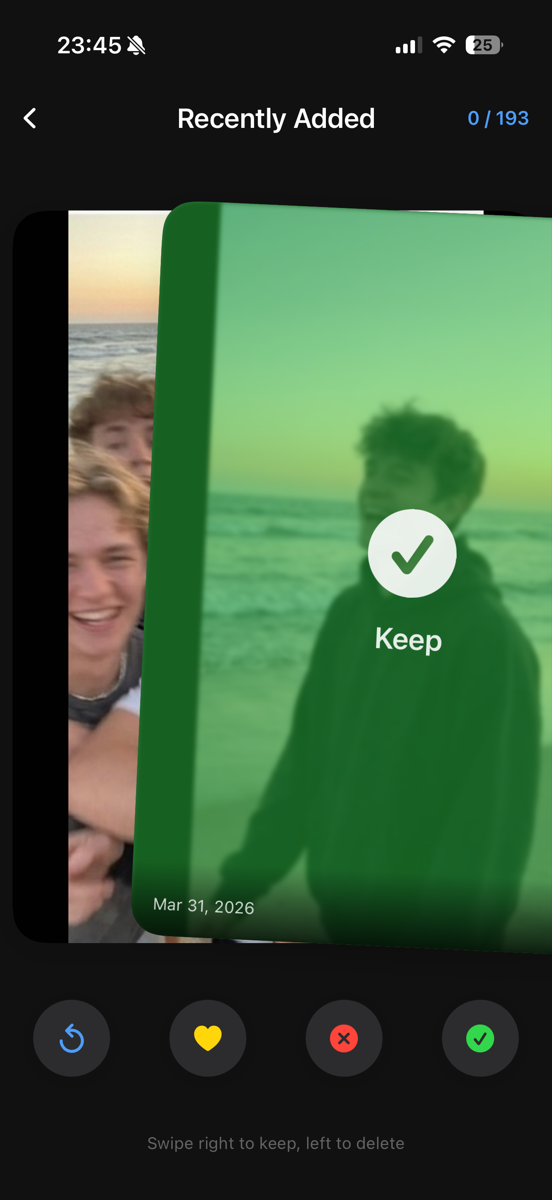
SnapSwipe replaces scrolling, selecting, and second-guessing with one decision at a time—and a safety net at the end.
Natural gestures turn every photo into one quick, clear decision.
Fast loading and a focused interface keep the cleanup session moving.
Smart groups surface screenshots, blurry photos, and large videos first.
Real-time stats show the space you’re reclaiming while you swipe.
Review the delete pile before confirming any changes to your library.
Photo analysis and sorting stay on your iPhone, where your memories belong.
How it works
Clean up in short bursts or ride the momentum through the whole camera roll.
Start with recent photos or jump straight to a clutter category.
Right keeps the memory; left marks the clutter for deletion.
Check everything you marked before any deletion happens.
Apply the cleanup and see how much storage came back.